I am Tobias Fladung

Pixel figure of Tobias Fladung with a cap, green eyes and a black jacket

I build thoughtful product and digital experiences with UX, code, AI, human-computer interaction, and psychology.

UX/UI Designer AI Product Designer

Design time

Working hours in design since 2002: 51,835
Focus areas

  • UX UI Design99 of 100
  • End-to-End Product Design99 of 100
  • Data-Driven Design98 of 100
  • Human-AI Interaction Design97 of 100
  • Conversion Optimization97 of 100
  • Vibe-Coding96 of 100
  • Information Architecture93 of 100
  • Prompt Engineering93 of 100
  • AI-Driven UX Strategy92 of 100
  • AI-Assisted Prototyping92 of 100
  • Accessibility & Inclusive Design92 of 100
  • Innovation Strategy89 of 100
  • User Research & Insights86 of 100
  • Design Systems & Scalable Components86 of 100
  • Cross-Functional Collaboration86 of 100

Tools

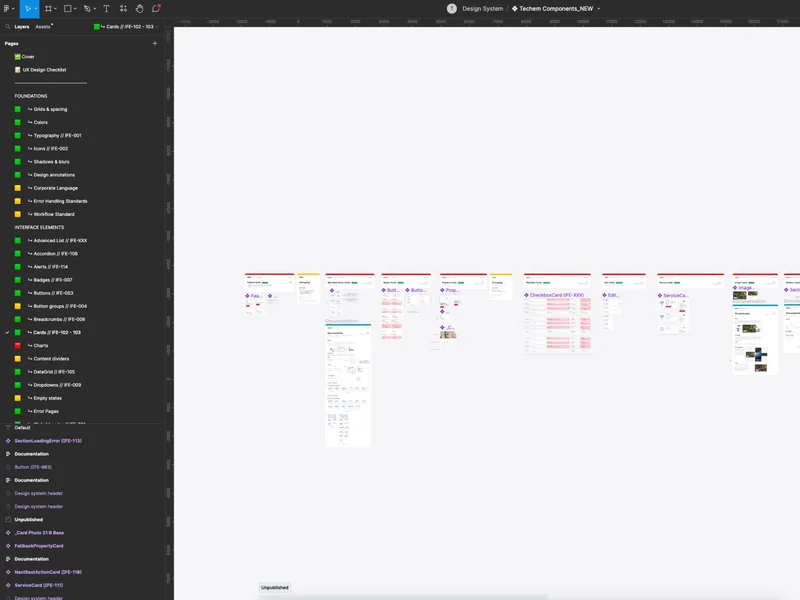
  • Figma
  • Adobe CS
  • Miro
  • Cursor
  • GitHub Copilot
  • Google AI Studio
  • Claude Code
  • Cloudflare
  • Google Analytics

Case Studies

About me

Hello, I am Tobias.

I am 44 and work as a UI/UX Consultant & Designer. For more than 20 years, I have designed digital products, first as an art director, now as a UX designer. I live in the Rhön.

I work in an agile way and closely with several teams. New technologies appeal to me, and I keep learning. I think beyond design, so that products and services are more than good-looking.

Tobias Fladung smiling at the camera

Testimonials

What former teams say

  • Electronic Minds

    Because of his always reliable, cooperative and helpful manner, Mr. Fladung was a valuable support to his superiors and a valued partner to his colleagues. Our customers always valued him highly for his friendly manner, high competence and helpfulness. …

    Michael RosenwirthManaging Director, Electronic MindsExcerpt from the reference letter (translated from German)
  • WEFRA Life

    Mr. Fladung has very good professional and methodical skills and shows a high sense of responsibility. We especially wish to highlight his unconditional commitment to his team and the helpfulness that comes with it. …

    Ariane Haack-KurzManaging Director, WEFRA LifeExcerpt from the reference letter (translated from German)

Design roadmap

How a question becomes a product.

Hover over a term or tap it. Then you see a definition in one sentence.

  1. Listen

    1. Clarify the contextI clarify goals, limits and expectations before I design anything.
      • Stakeholder interviewsShort interviews with the people who are responsible for the product or run it.
      • Assumptions listA list of the things that the team believes but does not know yet.
      • Picture of successOne sentence that describes how we recognize success in the end.
    2. Understand peopleI get to know the people who really use the product.
      • Contextual interviewsConversations at the place of work, so that real workflows become visible.
      • ObservationI watch instead of asking: behavior shows more than opinions.
      • Diary studyParticipants note over several days when and why they encounter a problem.
    3. Read dataI use numbers to find patterns and to check guesses.
      • Funnel analysisShows at which step people leave a workflow.
      • HeatmapsShow where people click, how far they scroll and what they overlook.
      • Support ticketsRecurring questions in support show real obstacles in the product.
  2. Sharpen

    1. Frame the problemI phrase the problem so that a team can solve it.
      • User goalsWhat a person wants to have achieved in the end, regardless of the tool.
      • Problem hypothesisA testable guess about which problem we really solve.
      • Five whysI ask for the reason several times until the cause becomes visible.
    2. Group patternsI combine many observations into a few clear insights.
      • Affinity mappingI sort notes by topic until patterns become visible.
      • ArchetypesA few user types that differ by their behavior, not by their age.
    3. Set prioritiesI decide with the team what comes first and what can wait.
      • Value-effort gridSorts ideas by value and effort into four fields.
      • Success metricsMeasurable values that show whether a change works.
      • Product betsInitiatives as a bet: with an assumption, a stake and a date for the review.
  3. Design

    1. Build structureI arrange content and features so that people find them.
      • Card sortingPeople sort terms into groups; this creates a clear navigation.
      • SitemapA map of all pages and their relations.
    2. Sketch workflowsI draw paths through the product before I design single screens.
      • User flowsDiagrams that show every step and every decision on a path.
      • ScribblesQuick sketches on paper that show many ideas in a short time.
      • Low-fi draftGray drafts that show structure and hierarchy without color.
    3. Shape the interfaceI give the structure shape, color, type and rhythm.
      • GridA fixed system of measures that makes pages calm and consistent.
      • Type scaleA fixed series of font sizes that makes the hierarchy clear.
      • Feedback momentsSmall reactions of the interface that show: that worked.
    4. Choose wordsI write texts that guide people safely through the product.
      • Button labelsVerbs that say what happens after the click.
      • Error messagesSay what went wrong and how to fix it, without blaming anyone.
      • Tone of voiceRules for how the product sounds: friendly, clear and honest.
  4. Design with AI

    1. Assess capabilitiesI check what a model can do reliably and where it fails.
      • Failure patternsTypical errors of a model, collected and sorted by risk.
      • Eval setsFixed example tasks that I use to compare the quality of models.
    2. Design promptsI treat prompts like design material: draft, test, improve.
      • Context designI decide which knowledge the model gets for a task.
      • System promptFixed instructions that set the role, limits and tone of an assistant.
      • Prompt libraryTested prompts that a whole team can reuse.
    3. Design trustI show what the AI does, how sure it is and how to correct it.
      • Show sourcesThe interface names the sources and reasons of an answer.
      • Human in the LoopA person checks or confirms the important decisions of the AI.
      • Ways backClear ways to undo an action when the AI is wrong.
    4. Prototypes in codeI use AI tools to build clickable prototypes in real code.
      • Vibe-CodingI describe a feature in words, and the AI writes the first code.
      • Real dataThe prototype uses real data, so that tests are realistic.
  5. Validate

    1. Test with peopleI observe real people with real tasks using the draft.
      • Moderated testI accompany a participant live and ask for their thoughts.
      • Unmoderated testParticipants solve tasks alone; a tool records everything.
    2. Accessible to allI check whether all people can use the product.
      • WCAG checkA check against the criteria of the Web Content Accessibility Guidelines.
      • Screen reader testI operate the product with a screen reader and a keyboard only.
      • ContrastText and background need enough difference in brightness.
    3. Measure qualityI make quality comparable with numbers.
      • SUS questionnaireTen questions that measure the perceived usability as one value.
      • Split testTwo variants run in parallel, and the data shows the better one.
  6. Deliver

    1. Build with developmentI work closely with the development team, from the first draft to the release.
      • FeasibilityI clarify early with development what is technically possible.
      • SpecsMeasures, states and behavior, described for the implementation.
      • Design QAI compare the built version with the draft and report deviations.
    2. Maintain the design systemI keep building blocks, rules and code up to date in one place.
      • Building blocksReusable UI parts with clear states and variants.
      • Token pipelineColors, spacing and fonts flow as named values from Figma into the code.
      • GuidelinesExamples and rules that explain when to use which building block.
    3. Support the releaseI stay involved after the launch and collect the first feedback.
      • Staged rolloutA feature goes to a few people first, then to everyone.
      • Release notesShort texts that show people what is new.
  7. Grow

    1. Measure impactAfter the release, I check whether we reached the goals.
      • DashboardsOne view of the most important key figures for the whole team.
      • CohortsCompares groups that started at the same time.
    2. Share learningI make insights visible to everyone in the company.
      • Research archiveA searchable collection of all studies and insights.
      • Design reviewsRegular rounds in which the team evaluates drafts together.
    3. Keep iteratingI improve the product in small, measurable steps.
      • RetrospectiveThe team discusses what went well and what it wants to change.
      • Backlog maintenanceI sort open ideas regularly by value and urgency.